Firmware stop
Klipper Timer Too Close During Print
Timer too close during a print is usually a timing evidence problem, not a random config problem. Match the shutdown timestamp to motion load, host load, USB/CAN resets, macros, or a recent printer.cfg change before buying parts or copying fixes.
Independent third-party notes. Verify firmware, heater, electrical, and vendor-specific work against official documentation for your exact printer.
Start here
Host timing, motion load, communication, macro timing, or recent config changed the scheduler margin during the print.
Timer too close during a print is usually a timing evidence problem, not a random config problem. Match the shutdown timestamp to motion load, host load, USB/CAN resets, macros, or a recent printer.cfg change before buying parts or copying fixes.
- Check first
- Open klippy.log around the shutdown timestamp and mark the last motion, macro, USB/CAN, or host warning before the error.
- Change only this
- For the first proof test, lower acceleration or speed for the same failing section; do not also change USB, CAN, macros, and slicer at once.
- Verify with
- A 10-20 minute repeat of the same print section or g-code range that previously stopped.
- Time
- 5-10 min log review
- Risk
- Caution
- Needs purchase
- No purchase until logs point to host power, USB, CAN, or wiring.
Pick what you see
Pick the Klipper Timer Too Close During Print branch
Choose the visible evidence or log clue that matches first. The card below keeps the next move to one test and one variable.
Klipper shows a specific Klipper Timer Too Close During Print message or repeats one exact line in klippy.log.
- Likely cause
- The subsystem named by the earliest matching log line.
- First test
- Save 60 seconds before and 30 seconds after the timestamp.
- Change only this
- Change no firmware setting until the same line is classified.
- Parameter range
- 10-15 minutes with log capture
- Stop when
- The same safe test passes twice with clean logs.
- Verify with
- Log snippet + safe idle or motion repeat.
Exact error lookup
Paste the Klipper message into the matching branch first.
| Error text | Likely subsystem | First evidence | Do not do | Safe verification |
|---|---|---|---|---|
| Timer too close during dense infill or fast travel | Motion timing / planner margin | Shutdown timestamp lines up with high-accel motion, dense g-code, or input shaping changes. | Do not buy host parts before a reduced-acceleration repeat test. | Repeat the same section with acceleration/speed down 20-30 percent. |
| Timer too close with host load warning or laggy UI | Host CPU / IO load | Webcam, timelapse, update, browser, or Moonraker/UI activity near the timestamp. | Do not edit printer.cfg first. | Disable heavy services and rerun the same short section. |
| MCU lost communication or serial reset near timer error | USB communication / power / EMI | klippy.log includes reconnect, serial reset, or USB disconnect language. | Do not lower print temperature or retraction to fix a USB reset. | One cable/port/power change, then idle and short-motion log check. |
| CAN timeout, invalid bytes, or toolhead disconnect near timer error | CAN bus | CAN-related timeout or disconnect appears close to shutdown. | Do not replace the host before checking CAN wiring/termination evidence. | Check one CAN cable/termination/adapter variable and repeat the same section. |
| Timer error at layer change or macro event | Macro / timelapse / pause hook | Last log action is a layer-change, pause, filament, LED, or notification macro. | Do not change acceleration until the macro branch is tested. | Disable only that macro/hook for one repeat of the same layer range. |
| Timer error started after printer.cfg edit | Config diff | First failure appears after editing limits, kinematics, stepper, macro, or input shaping values. | Do not copy a random working config from another printer. | Revert the last relevant diff and rerun the same short section. |
Pick the exact path
Most failed fixes go wrong when they start from the wrong branch.
Use this when the failure appears on Klipper or the closest matching setup.
- First test
- Save 60 seconds before and 30 seconds after the timestamp.
- Change only this
- Change no firmware setting until the same line is classified.
- Stop when
- The repeat test clearly improves or points to a different branch.
Use this if the symptom started after a nozzle, spool, plate, slicer, firmware, or maintenance change.
- First test
- Restore the last known-good context or isolate only the recent change with one small repeat test.
- Change only this
- Undo or isolate the recent change; do not retune the whole profile.
- Stop when
- The repeat test clearly improves or points to a different branch.
Use this when the first proof test looks the same after one safe variable change.
- First test
- Repeat the same test once to rule out a bad slice or one-off print.
- Change only this
- Switch branch instead of stacking another setting.
- Stop when
- The repeat test clearly improves or points to a different branch.
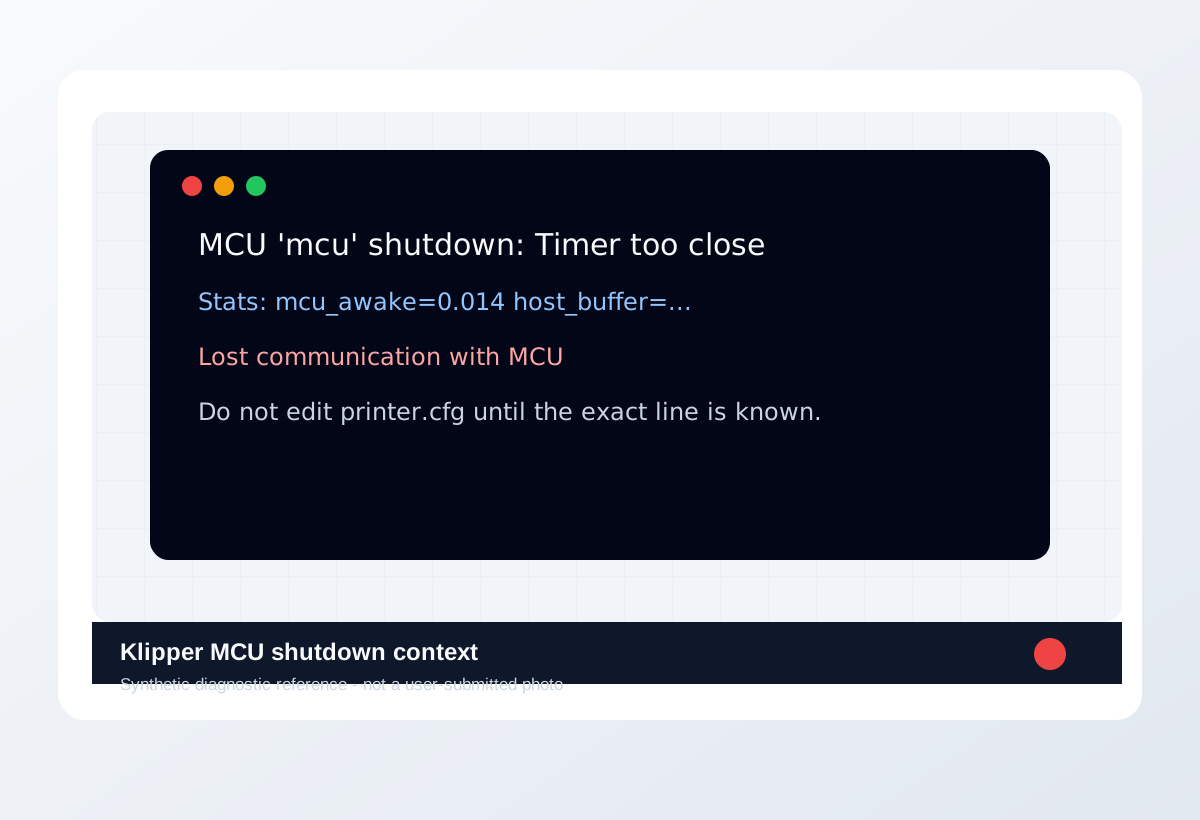
Visual diagnosis
Match the visible pattern before changing settings.
Synthetic diagnostic reference or structured visual guide; confirm with the page test before treating it as proof.
- Print starts, then stops mid-job with timer too close.
- The error may appear around dense or fast motion.
- Recent speed, input shaping, macro, or host-service changes matter.
- Disabling Klipper safety checks to finish a print.
- Pasting config snippets before reading the exact log line.
- Treating heater, thermistor, or power errors as harmless warnings.
- Later log lines that are not the first fault
- A visible print defect with no matching log
- Config guesses copied from another printer
- Where the defect starts and whether it repeats at the same location.
- Whether the texture is smooth, rough, lifted, thin, blobby, or shifted.
- What changed recently: material, nozzle, plate, firmware, slicer, or printer maintenance.
- The exact slicer value that caused it.
- Whether the spool is dry, the nozzle is worn, or the config is correct.
- That a purchase is needed before the same small test is repeated.
Original visual references
Synthetic examples for fast pattern matching.
These are Print Fixes synthetic diagnostic references, not user-submitted photos. Use them to compare shape and location, then confirm with the test or log evidence on this page.
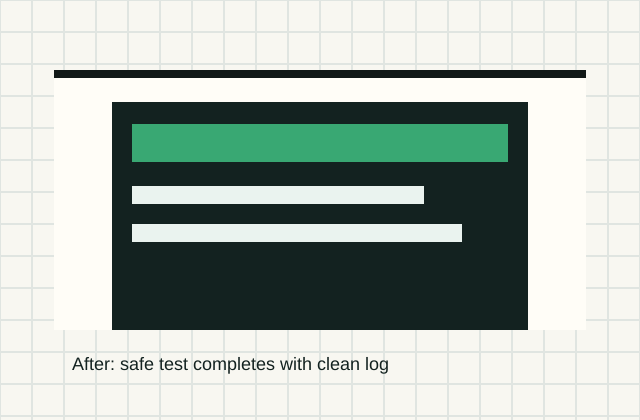
Before / after
Compare one small test, not a whole print.
Use the same small test before and after the change so the comparison means something.
Recommended Checks
0/6 doneVerification
- The same print section should pass twice after one isolated change, with no new timing warnings in klippy.log.
- If lowering acceleration fixes the stop, restore speed gradually instead of buying host or wiring parts.
- If stopping webcam/timelapse fixes it, keep the host-load branch and do not edit motion config yet.
- If USB/CAN errors remain at idle or low speed, stay on communication hardware and wiring before tuning slicer settings.
- If reverting the last config edit fixes it, document that diff before reapplying pieces one at a time.
Field guide
Follow the branch that matches your print
Klipper shows a specific Klipper Timer Too Close During Print message or repeats one exact line in klippy.log.
- Likely cause
- The subsystem named by the earliest matching log line.
- First test
- Save 60 seconds before and 30 seconds after the timestamp.
- Change only this
- Change no firmware setting until the same line is classified.
- Verify with
- Log snippet + safe idle or motion repeat.
- Stop when
- The same safe test passes twice with clean logs.
The printer disconnects while idle or during heat soak before motion starts.
- Likely cause
- Power, USB/CAN link, host stability, or firmware identity.
- First test
- Run a 10 minute idle connection test with no print.
- Change only this
- Change only cable/port/power path or host load for one repeat.
- Verify with
- Idle log comparison.
- Stop when
- No disconnect appears in two idle repeats.
The error appears near fast motion, toolhead cable movement, or a repeated print height.
- Likely cause
- Cable strain, CAN link, host timing, or motion load.
- First test
- Run a short safe motion section without a full print.
- Change only this
- Change only cable strain relief, route, acceleration, or host load.
- Verify with
- Same motion repeat with klippy.log.
- Stop when
- The error no longer follows that motion path.
The failure started immediately after printer.cfg, macro, firmware, or UUID changes.
- Likely cause
- Config syntax, pin mapping, UUID mismatch, or unsafe copied snippet.
- First test
- Diff the last known-good config against the current one.
- Change only this
- Revert or isolate one config block only.
- Verify with
- Restart + config check + safe home/idle test.
- Stop when
- The exact message disappears after one config rollback.
The log includes heater, ADC, thermistor, or temperature language.
- Likely cause
- Sensor/heater wiring, config, or safety fault.
- First test
- Stop printing and inspect the exact heater/sensor row first.
- Change only this
- Do not bypass safety limits; change only the proven wiring/config item.
- Verify with
- Controlled low-risk heat test after inspection.
- Stop when
- Temperature rises normally and log stays clean.
Concrete Parameter Range
| Setting | Start | Range | Change when | Stop when | Too far looks like |
|---|---|---|---|---|---|
| Idle connection test | No print | 10-15 minutes with log capture | Disconnect occurs before motion or heat | Clean log after two repeats | Treating one clean idle as print-safe |
| Safe motion test | Short controlled move | Repeat same path, no full print first | Error follows motion/cable position | Same motion passes twice | Testing heat, motion, macros, and print load together |
| Host load | Current host services | Disable one load source for proof | Timer or communication error appears under load | Log stays clean with one load variable changed | Buying host hardware before log evidence |
| Config rollback | Last known-good config | One block at a time | Error began after edit/flash/UUID change | Config check and safe test pass | Copying snippets across printers |
Material / Machine Differences
Wrong Turns
Stop tuning when
Do not keep chasing perfection after the signal is clear.
- The same small test improves after one documented change.
- The symptom turns into a different failure family; switch branches instead of stacking edits.
- A safety, heater, wiring, or firmware warning appears; stop printing and use the safe diagnostic path.
Common setups
Jump to the branch that matches your machine or material
Copy before changing more settings
Klipper Timer Too Close During Print diagnostic brief
Fill this out after the first test so the next branch is based on evidence, not memory. The useful case is the one where only one variable changed.
Page: Klipper Timer Too Close During Print
Printer:
Slicer:
Firmware:
Material / brand / color:
Nozzle size / material:
Bed surface:
Exact symptom or error text:
Recent change:
First test run:
One variable changed:
Result:
Next branch:Still not matching?
Jump to the next likely diagnosis
Problem Pattern
The printer starts normally, then stops mid-print with timer too close or scheduling-related Klipper errors. The useful clue is what happened in the 30-60 seconds before the shutdown: dense infill, high acceleration, a layer-change macro, USB/CAN reconnect, host CPU spike, or a config edit.
Likely Causes
- Dense g-code, high acceleration, or input shaping settings left too little timing margin during motion planning.
- The host was overloaded by webcam streaming, timelapse, browser UI, update jobs, or another service during the print.
- USB or CAN communication reset under motion or heater load.
- A layer-change, pause, filament, or status macro added blocking work at the exact failing layer.
- A recent printer.cfg change altered limits, kinematics, stepper timing, or macro behavior.
Print Context
- Page type
- Klipper log branch checklist
- Best first move
- Read klippy.log around the shutdown timestamp before restarting or editing printer.cfg.
- Good buy signal
- Only buy host, USB, or CAN parts when the log evidence repeats on that subsystem.
After the test
Use the result, do not keep changing random settings.
If one check clearly changes the print, repeat that exact test once before moving on. If nothing changes, switch diagnosis instead of stacking more slicer edits.
Warnings
- Do not paste random printer.cfg timing values from another printer; timer errors are evidence-driven.
- Do not ignore heater or thermistor errors if they appear near the same timestamp; safety stops are not performance tuning targets.
- Do not buy a new Pi, USB cable, or CAN adapter until the same subsystem leaves repeated evidence.
- Do not test fixes on a long unattended print; use the shortest section that reproduces the stop.
- A printer stopped by Klipper with a specific console error or log entry.
- Separating config mistakes from wiring, heater, MCU, or host-load problems.
- Disabling Klipper safety checks to finish a print.
- Pasting config snippets before reading the exact log line.
More traps to avoid
- Changing several slicer settings at once and losing the actual cause.
- Ignoring filament condition or bed cleanliness while tuning advanced values.
- Keeping one global profile for different materials, brands, colors, and nozzle sizes.
Bench Note
Page: Klipper Timer Too Close Fix
Printer / firmware:
Slicer profile:
Filament brand and material:
Nozzle size:
Bed surface:
Recent changes:
Result to compare next:
FAQ
What should I save before fixing Klipper Timer Too Close Fix?
Save the exact console error, timestamp, klippy.log section, recent printer.cfg changes, and what the printer was doing when it stopped.
Should I restart before checking logs?
Avoid losing context. Capture the message and log first, then restart only what the official troubleshooting path requires.
When is it hardware?
When logs and safe tests repeatedly point to communication, power, wiring, thermistor, heater, MCU, or toolboard behavior.