Firmware stop
Klipper MCU Shutdown Fix
Start with the exact Klipper message, then route to the matching branch: communication/CAN/USB, heater or ADC, timer too close, config edit, or webhooks shutdown. Do not edit printer.cfg or buy parts until the log points to one subsystem.
Independent third-party notes. Verify firmware, heater, electrical, and vendor-specific work against official documentation for your exact printer.
Match the exact Klipper error
Choose the message or failure pattern before editing config.
Start here
The shutdown belongs to one Klipper subsystem: communication, heater/sensor, host timing, config, CAN/USB, or webhooks automation.
Start with the exact Klipper message, then route to the matching branch: communication/CAN/USB, heater or ADC, timer too close, config edit, or webhooks shutdown. Do not edit printer.cfg or buy parts until the log points to one subsystem.
- Check first
- Copy the exact console message and inspect klippy.log around the shutdown timestamp before editing printer.cfg.
- Change only this
- Only change the branch named by the log. Timer errors, heater faults, CAN disconnects, and config errors need different tests.
- Verify with
- A safe repeat test for that subsystem: idle/link test, controlled heat test, reduced-load motion test, or config restart.
- Time
- 7 min log capture
- Risk
- Caution
- Needs purchase
- No. Hardware purchases wait until the same evidence repeats.
Pick what you see
Klipper MCU Shutdown mini diagnosis
Match the exact Klipper error text before touching printer.cfg or hardware.
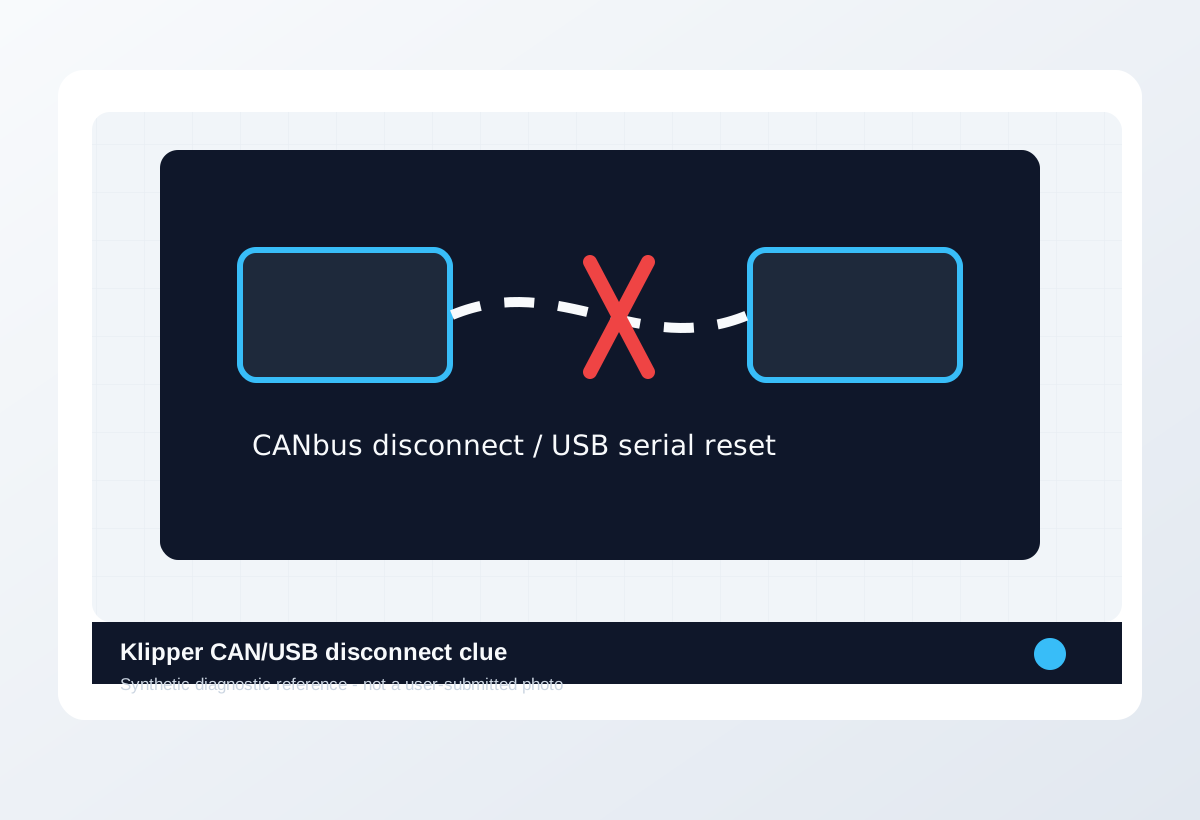
Lost communication, CAN disconnect, or USB reset
- Likely cause
- Communication, power, cable strain, EMI, or board reset.
- First test
- Save klippy.log and run idle plus short safe motion test while watching link stability.
- Change only this
- Cable/power/link path only.
- Parameter range
- Evidence to collect: exact error text, cable/board involved, klippy.log timestamp, whether it happens idle, during heat, or only during motion.
- Stop when
- The same test passes twice with clean log.
- Verify with
- No disconnect under same idle/motion test.
Exact error lookup
Paste the Klipper message into the matching branch first.
| Error text | Likely subsystem | First evidence | Do not do | Safe verification |
|---|---|---|---|---|
| Lost communication with MCU | USB/CAN communication, board power, host stability | klippy.log timestamp, MCU name, recent cable/power/firmware changes, whether it happens at idle or motion. | Do not paste printer.cfg snippets before proving cable, power, and host link stability. | Idle connection plus short safe motion test with no repeated disconnect. |
| Timer too close | Host timing, dense motion, communication, CPU/storage load | Log timestamp, g-code section, acceleration/speed, host CPU/load/webcam state, recent macro changes. | Do not assume slicer speed is the only cause or keep high-speed printing without a clean repeat. | Same section at 20-30% lower acceleration/speed completes with clean log. |
| MCU shutdown: Rescheduled timer in the past | Host timing, MCU scheduling, overload, communication jitter | klippy.log around shutdown, host load, storage health, USB/CAN state, exact motion at failure. | Do not hide it with unrelated config edits. | Same g-code section runs under lower load with no rescheduled-timer message. |
| ADC out of range | Thermistor, sensor wiring, sensor type, config | Room-temperature reading, thermistor connector state, sensor type in config, impossible temperature values. | Do not heat until the sensor reads plausible room temperature. | Room-temperature reading is plausible, then slow heat test reports smoothly. |
| Heater not heating at expected rate | Heater cartridge, thermistor seating, power, PID/config | Heat-up graph/log, target temp, actual temp slope, heater/thermistor wiring and config pins. | Do not raise safety limits just to keep printing. | Controlled heat test reaches and holds temperature with normal curve and clean log. |
| Shutdown due to webhooks request | Moonraker/webhooks, UI action, macro, automation, emergency stop | Moonraker log, UI action history, macro calls, automation timestamp, exact webhooks message. | Do not debug MCU hardware before checking whether software requested shutdown. | Repeat the same UI/macro path without the shutdown request appearing. |
| CANbus disconnect | CAN wiring, termination, bitrate, UUID/firmware, toolhead power | CAN UUID visibility, bitrate/termination, connector strain, toolhead power, firmware build state. | Do not retune motion or pressure advance while the toolhead link is unstable. | CAN device remains visible and safe heat/motion test completes without disconnect. |
| USB serial reset | USB cable, EMI, host power saving, board reset, undervoltage | Host dmesg/system log if available, klippy.log timestamp, cable path, board reset signs, power state. | Do not call it a slicer issue if serial resets at idle or heat-up. | Idle, heat, and motion tests complete without a new serial reset. |
| Config error after printer.cfg edit | Pin, section name, sensor, macro, kinematics, include file | Last config diff, exact restart error line, included file path, changed pin/section/macro. | Do not copy another printer config over the top of your known-good config. | Firmware restart succeeds and the edited subsystem passes its safe config check. |
Pick the exact path
Most failed fixes go wrong when they start from the wrong branch.
Log mentions lost communication, serial reset, CAN timeout, invalid bytes, or toolhead disconnect.
- First test
- Save klippy.log, then run idle plus short safe motion while watching whether the link drops again.
- Change only this
- One cable, power, termination, adapter, or strain-relief variable at a time.
- Stop when
- The same idle/motion test passes twice with clean log.
Log names heater not heating, ADC out of range, thermistor, heater, or temperature safety behavior.
- First test
- Stop printing; check plausible room temperature before any controlled heat test.
- Change only this
- Sensor/heater/wiring subsystem only. Do not tune PID first.
- Stop when
- Temperature readings are plausible and a slow heat test is stable twice.
Print starts normally, then stops during dense motion, high acceleration, macros, or host load.
- First test
- Repeat the failing section with 20-30% lower acceleration/speed or one host workload disabled.
- Change only this
- Motion load or host workload for one repeat; do not also rewire and edit config.
- Stop when
- The same section completes and klippy.log stays clean.
The failure appeared immediately after changing pins, probe, endstop, sensor, macro, or kinematic config.
- First test
- Diff the last config edit and run a firmware restart plus the smallest safe subsystem test.
- Change only this
- Revert or edit one changed section only.
- Stop when
- The specific config/probe error disappears without unrelated edits.
The log says webhooks requested shutdown, emergency stop, macro, UI, or automation action.
- First test
- Capture Moonraker/webhooks log, macro name, UI action, and timestamp before changing firmware.
- Change only this
- Disable or fix the triggering macro/automation only.
- Stop when
- The same idle/print-prep path no longer triggers webhooks shutdown.
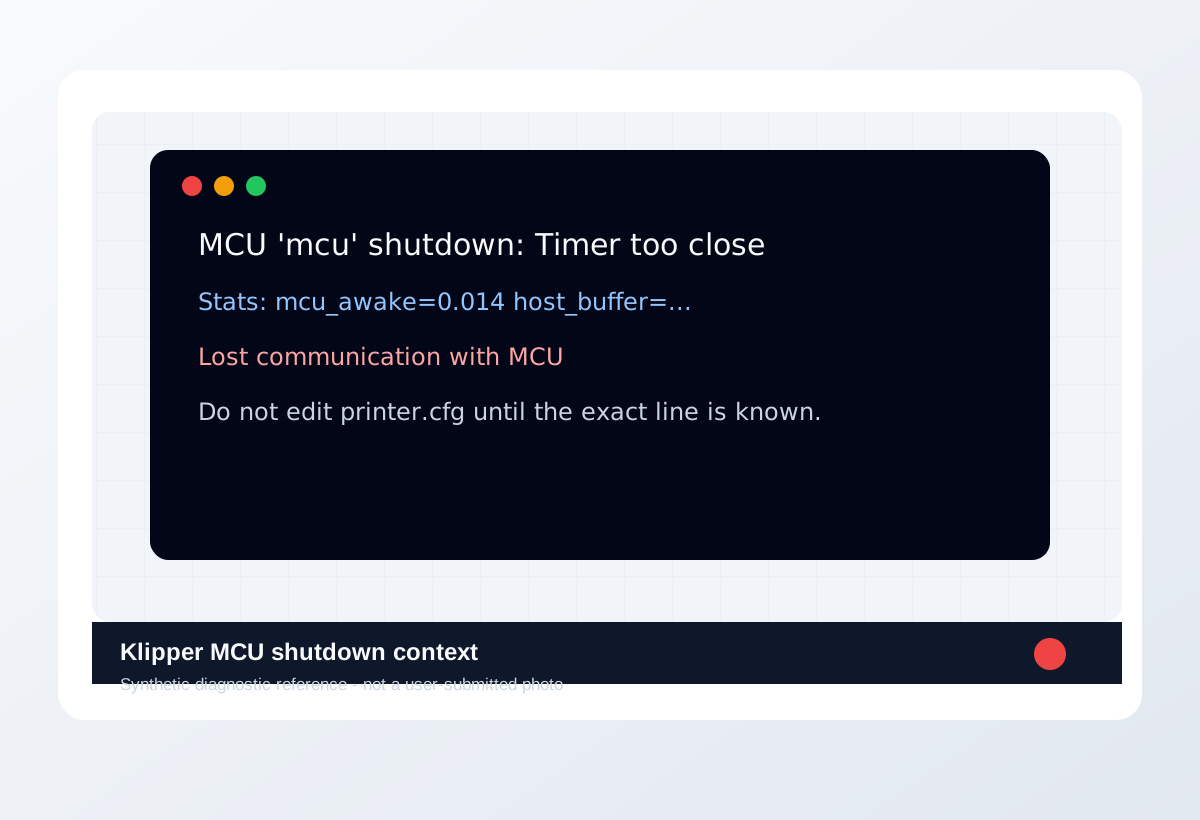
Visual diagnosis
Match the visible pattern before changing settings.
Original synthetic diagnostic reference plus licensed look-alike references; confirm with the test or log evidence below.
- The UI stops with an MCU, heater, ADC, CAN, USB, timer, or config message.
- The same print may fail under heat, motion, dense g-code, or after config edits.
- The useful evidence is exact console text plus klippy.log timestamp.
- A cosmetic print defect without firmware stop is not a Klipper shutdown.
- Layer shift without an error is a motion diagnosis first.
- Do not treat heater/ADC errors as normal slicer tuning.
- Host overload that looks like speed issue
- CAN/USB disconnect that looks like random MCU shutdown
- Thermistor fault that looks like heater tuning
- Config typo after printer.cfg edit
- Webhooks shutdown request from UI or macro
- Printer wiring strain and toolhead cable path.
- Board/host power and USB/CAN routing.
- Whether the failure follows heat, motion, or config change.
- Exact text in console/log, not just the screen color.
- Root cause without klippy.log
- Whether it is safe to keep printing
- Correct pin names or config values
- Whether hardware replacement is needed
Trust visual library
Use the image type, not just the picture.
Real references, look-alikes, material context, and synthetic diagnostic examples are separated so they do not overclaim what a photo can prove.
Real reference


Synthetic diagnostic reference
Before / after
Compare one small test, not a whole print.
Use the same small test before and after the change so the comparison means something.
Recommended Checks
0/4 doneVerification
- The same safe heat, idle, or motion test completes twice without the exact error returning.
- klippy.log shows the targeted subsystem stayed stable during the repeat.
- No heater or sensor warning remains before starting a real print.
- The final fix is documented with the exact error, timestamp, and one changed item.
Field guide
Follow the branch that matches your print
Lost communication, CAN disconnect, or USB reset
- Likely cause
- Communication, power, cable strain, EMI, or board reset.
- First test
- Save klippy.log and run idle plus short safe motion test while watching link stability.
- Change only this
- Cable/power/link path only.
- Verify with
- No disconnect under same idle/motion test.
- Stop when
- The same test passes twice with clean log.
Heater not heating or ADC out of range
- Likely cause
- Thermistor, heater, wiring, power, or config safety issue.
- First test
- Stop printing; verify room-temperature reading and controlled heat curve.
- Change only this
- Sensor/heater subsystem only.
- Verify with
- Slow heat test reaches and holds temperature safely.
- Stop when
- Temperature readings are plausible and stable twice.
Error appeared right after printer.cfg edit
- Likely cause
- Pin, sensor, macro, kinematic, or section config mismatch.
- First test
- Diff last config change and run Klipper config checks/restart.
- Change only this
- Revert or edit the one changed subsystem.
- Verify with
- Firmware restart and safe subsystem test pass.
- Stop when
- The error disappears without unrelated config edits.
Timer too close or rescheduled timer during dense motion
- Likely cause
- Host load, MCU scheduling, communication, or motion demand.
- First test
- Repeat same section at 20-30% lower acceleration/speed and watch host load.
- Change only this
- Motion load or host service load for one repeat.
- Verify with
- Same section completes with clean log.
- Stop when
- Error no longer appears under controlled repeat.
Shutdown due to webhooks request
- Likely cause
- UI, macro, Moonraker/webhooks, emergency stop, or automation requested shutdown.
- First test
- Check Moonraker/webhooks log, UI actions, macros, and automation around timestamp.
- Change only this
- Disable or fix the triggering macro/automation only.
- Verify with
- Same idle/print prep path completes without shutdown request.
- Stop when
- Log shows no new webhooks shutdown around the repeat.
Concrete Parameter Range
| Setting | Start | Range | Change when | Stop when | Too far looks like |
|---|---|---|---|---|---|
| Test type | No hot print | Idle connection, safe heat test, then short motion test | Log points to a subsystem | The targeted safe test passes without repeating the error | If the same exact error still appears, stop broad tuning and return to the error-specific subsystem. |
| Host load check | Observe during idle and repeat test | Keep CPU, storage, webcam, and extra services low during test | Errors correlate with load or dense g-code | Log is clean under the same motion/heat condition | If the same exact error still appears, stop broad tuning and return to the error-specific subsystem. |
| Acceleration/speed repeat | Current print profile | Reduce acceleration/speed 20-30% for one repeat section | Timing/motion errors occur mid-print | Same section completes and log is clean | If the same exact error still appears, stop broad tuning and return to the error-specific subsystem. |
| Config edits | Last known-good config | One subsystem per edit | Log line identifies a pin, heater, probe, MCU, CAN, or macro issue | The same safe test passes twice | If the same exact error still appears, stop broad tuning and return to the error-specific subsystem. |
Material / Machine Differences
Wrong Turns
Stop tuning when
Do not keep chasing perfection after the signal is clear.
- The exact same safe heat or motion test passes twice.
- klippy.log no longer repeats the same error around the timestamp.
- The fix is tied to one subsystem, not a pile of config changes.
- A heater or wiring issue remains unresolved; stop printing and inspect hardware.
Common setups
Jump to the branch that matches your machine or material
Copy before changing more settings
Klipper error diagnostic brief
Fill this out after the first test so the next branch is based on evidence, not memory. The useful case is the one where only one variable changed.
Printer:
Slicer:
Firmware:
Material:
Nozzle size/material:
Bed surface:
Exact symptom:
Recent change:
First test run:
One change tested:
Result:
Next branch:Still not matching?
Jump to the next likely diagnosis
Problem Pattern
Use this page when Klipper stops a print with a specific console or klippy.log error. The first decision is the exact text, not the symptom on the printed part. Wrong routing can send a real hardware or safety fault into irrelevant slicer tuning.
Likely Causes
- USB, CAN, or MCU communication dropped during print.
- Power supply, wiring, or connector instability reset the controller.
- Heater, thermistor, or temperature safety check failed.
- Recent printer.cfg changes created a pin, sensor, kinematic, or timing mismatch.
Print Context
- Applies to
- Klipper, Moonraker, Raspberry Pi, USB MCU, CAN toolboards
- Best first move
- Read the exact error and klippy.log before applying config snippets.
- Do not start with
- Bypassing safety limits or copying another printer.cfg.
After the test
Use the result, do not keep changing random settings.
If one check clearly changes the print, repeat that exact test once before moving on. If nothing changes, switch diagnosis instead of stacking more slicer edits.
Warnings
- Treat heater, thermistor, and power errors as safety-relevant.
- Do not bypass Klipper safety checks to finish a print.
- Config snippets from another machine can be dangerous when pins, heaters, probes, or kinematics differ.
- A printer stopped by Klipper with a specific console error or log entry.
- Separating config mistakes from wiring, heater, MCU, or host-load problems.
- Disabling Klipper safety checks to finish a print.
- Pasting config snippets before reading the exact log line.
More traps to avoid
- Changing several slicer settings at once and losing the actual cause.
- Ignoring filament condition or bed cleanliness while tuning advanced values.
- Keeping one global profile for different materials, brands, colors, and nozzle sizes.
Bench Note
Page: Klipper MCU Shutdown Fix
Printer / firmware:
Slicer profile:
Filament brand and material:
Nozzle size:
Bed surface:
Recent changes:
First check run:
One change tested:
Result:
FAQ
Is MCU shutdown caused by the slicer?
Usually no. Start with Klipper logs, communication, power, heater, host load, and config context.
Should I reboot everything first?
Save the error and log first. Rebooting can hide the timestamp and make the useful evidence harder to find.
When should I buy hardware?
Only after logs and basic checks point to a failing cable, power path, MCU, thermistor, or toolboard.