Buy-or-wait check
Brass vs Hardened Nozzle
Brass is still the default for non-abrasive PLA, PETG, TPU, and ASA because it heats well and is cheap to replace. Hardened nozzles make sense when abrasive filament would wear brass, not as a universal quality upgrade.
Independent third-party notes. Verify firmware, heater, electrical, and vendor-specific work against official documentation for your exact printer.
Quick Readout
Brass is still the default for non-abrasive PLA, PETG, TPU, and ASA because it heats well and is cheap to replace. Hardened nozzles make sense when abrasive filament would wear brass, not as a universal quality upgrade.
Pick what you see
Pick the Brass vs Hardened Nozzle branch
Choose the visible evidence or log clue that matches first. The card below keeps the next move to one test and one variable.
Lines are thin, broken, or missing across walls/infill.
- Likely cause
- Partial clog, low temperature, path drag, or volumetric limit.
- First test
- Extrude into free air, then print the single-wall flow box.
- Change only this
- Clear path or lower speed before raising flow.
- Parameter range
- 5 C steps
- Stop when
- Walls become consistent without clicking.
- Verify with
- Free-air strand and wall box.
Pick the exact path
Most failed fixes go wrong when they start from the wrong branch.
Use this when the failure appears on Brass nozzles or the closest matching setup.
- First test
- Extrude into free air, then print the single-wall flow box.
- Change only this
- Clear path or lower speed before raising flow.
- Stop when
- The repeat test clearly improves or points to a different branch.
Use this if the symptom started after a nozzle, spool, plate, slicer, firmware, or maintenance change.
- First test
- Restore the last known-good context or isolate only the recent change with one small repeat test.
- Change only this
- Undo or isolate the recent change; do not retune the whole profile.
- Stop when
- The repeat test clearly improves or points to a different branch.
Use this when the first proof test looks the same after one safe variable change.
- First test
- Repeat the same test once to rule out a bad slice or one-off print.
- Change only this
- Switch branch instead of stacking another setting.
- Stop when
- The repeat test clearly improves or points to a different branch.
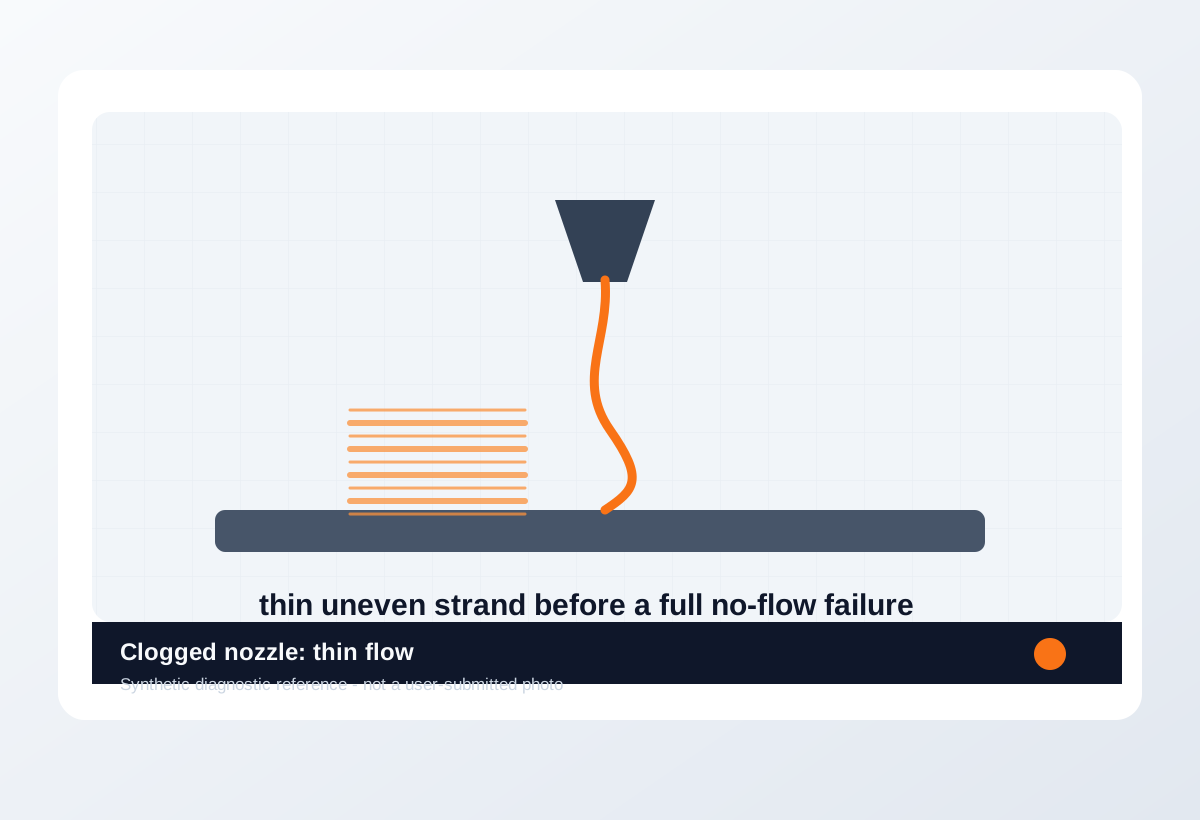
Visual diagnosis
Match the visible pattern before changing settings.
Synthetic diagnostic reference or structured visual guide; confirm with the page test before treating it as proof.
- Brass vs Hardened Nozzle repeats on the same printer, material, or print condition.
- The visible pattern changes when one branch variable changes.
- The symptom can be reproduced with a small test instead of a full model.
- Choosing nozzle diameter; use the 0.4 vs 0.6 nozzle page for that decision.
- Fixing clogs or under-extrusion before extrusion path checks are done.
- Assuming a nozzle material upgrade improves all surface quality problems.
- Wet filament roughness
- Too-low Z offset scraping
- Over-aggressive retraction causing gaps
- Where the defect starts and whether it repeats at the same location.
- Whether the texture is smooth, rough, lifted, thin, blobby, or shifted.
- What changed recently: material, nozzle, plate, firmware, slicer, or printer maintenance.
- The exact slicer value that caused it.
- Whether the spool is dry, the nozzle is worn, or the config is correct.
- That a purchase is needed before the same small test is repeated.
Original visual references
Synthetic examples for fast pattern matching.
These are Print Fixes synthetic diagnostic references, not user-submitted photos. Use them to compare shape and location, then confirm with the test or log evidence on this page.
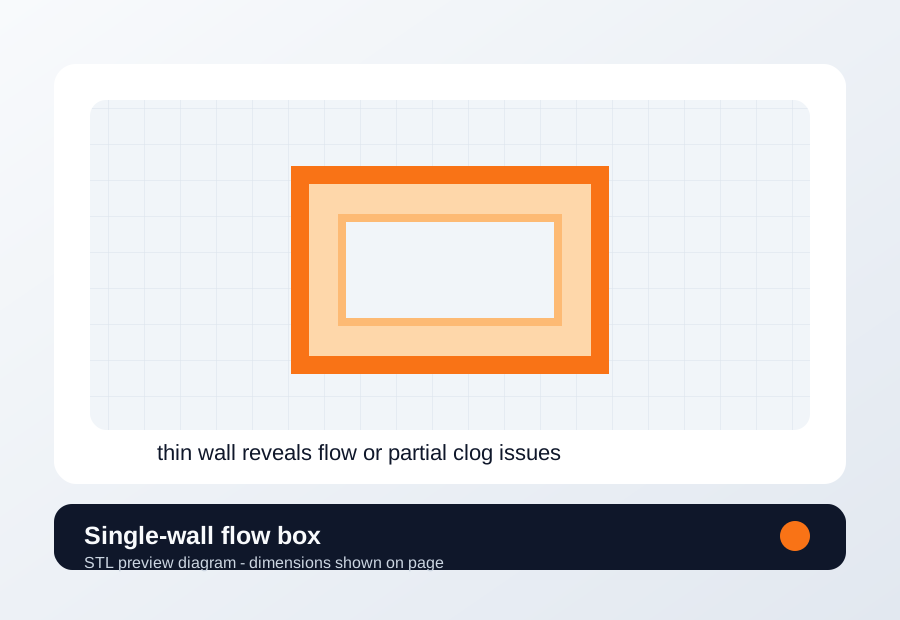
Download a quick test
Single-wall flow box
Use when extrusion consistency, nozzle condition, flow rate, or volumetric limit is the active branch.
- File
- STL
- Typical time
- 10-15 min
- Material
- Same material and nozzle that failed
- Dimensions
- 35 x 35 x 25 mm
- Footprint
- 35 x 35 mm
- Height
- 25 mm
- Layer height
- 0.20 mm unless the page says first-layer only
- Infill
- 10-15%
- Walls
- 1
- Supports
- Off
- Speed
- Use current profile for baseline, then change only the proven variable
- Material and spool
- Nozzle size
- Bed surface
- Every slicer value except the one variable being tested
- One wall
- Zero infill
- Keep nozzle temperature unchanged for the first run
Recommended Checks
0/5 doneVerification
- A brass choice is verified when non-abrasive materials print cleanly with normal temperature, flow, and detail.
- A hardened choice is verified when abrasive material prints without rapid nozzle wear and the profile passes a small flow test.
- After changing nozzle material, repeat the same small model before changing retraction, pressure advance, or flow.
- If extrusion curls, clicks, or becomes inconsistent, diagnose clog and heat path before blaming nozzle material.
Only if the test points here
Tools and supplies for the proven branch
Hardened nozzle pack
Check filament abrasiveness and compare extrusion consistency after a known-good brass nozzle.
- Buy signal
- Abrasive material is planned or brass wear appears after filled filament.
- Skip if
- You mostly print PLA/PETG and need maximum heat transfer and clean detail.
- Save evidence
- Filament type, nozzle hours, visible wear or widened lines, and hotend compatibility.
Hardened nozzles are insurance against abrasive wear, not an automatic quality upgrade.
- Correct hotend format
- Hardened or wear-resistant material
- Nozzle size matched to fiber-filled filament
- Temperature adjustment notes
- Hardened nozzles for normal PLA-only printing
Brass nozzle pack
Confirm the problem is nozzle wear/clog, not Z offset, moisture, or slicer profile.
- Buy signal
- A normal-material nozzle is worn, clogged beyond cleaning, or you need clean low-cost spares.
- Skip if
- You regularly print abrasive filled filaments.
- Save evidence
- Nozzle size, material printed, cleaning result, and extrusion photo.
Brass is the default quality and value choice until abrasive material changes the job.
- Correct thread/length
- Known nozzle size
- Quality machining
- Spare 0.4 and 0.6 sizes if your slicer profiles support them
- Brass for carbon fiber, glow, glass-filled, or metal-filled filament
Nozzle and cleaning kit
Run a hot extrusion or cold-pull check, then print a small flow wall with the same filament and temperature.
- Buy signal
- Extrusion curls, skips, or stays inconsistent after cleaning, or a brass nozzle has seen abrasive filament.
- Skip if
- The problem is only first-layer Z, bed mesh, or wet filament.
- Save evidence
- Free-air extrusion photo, cold-pull result, nozzle size/material, filament type, and whether flow changed after cleaning.
Replace the nozzle only after the extrusion path test makes the blockage or wear visible.
- Correct nozzle thread and length
- Brass for normal PLA/PETG
- Hardened steel or similar only for abrasive filaments
- Cleaning needles sized for the nozzle
- Hardened nozzles as a first-layer fix
- Random nozzle packs that do not match the hotend
Print Fixes may earn from qualifying purchases when commerce links are configured. Diagnostic steps stay independent: buy only when the failure evidence points to the part.
Field guide
Follow the branch that matches your print
Lines are thin, broken, or missing across walls/infill.
- Likely cause
- Partial clog, low temperature, path drag, or volumetric limit.
- First test
- Extrude into free air, then print the single-wall flow box.
- Change only this
- Clear path or lower speed before raising flow.
- Verify with
- Free-air strand and wall box.
- Stop when
- Walls become consistent without clicking.
Extruded filament curls hard at the nozzle or sputters.
- Likely cause
- Nozzle obstruction, worn nozzle, or contaminated path.
- First test
- Run a cold pull or clean/nozzle check at correct temperature.
- Change only this
- Change only nozzle/path cleaning.
- Verify with
- Free-air extrusion photo.
- Stop when
- Strand exits straight and consistent.
Top surface is rough, raised, or blobby rather than under-filled.
- Likely cause
- Flow too high, seam pressure, heat, or pressure advance.
- First test
- Print one single-wall box before reducing flow.
- Change only this
- Change only flow or pressure setting after wall evidence.
- Verify with
- Wall thickness and top surface.
- Stop when
- Top smooths without under-extrusion.
Carbon fiber, glow, wood, or filled filament was used on brass.
- Likely cause
- Nozzle wear may have changed extrusion width.
- First test
- Compare extrusion with a known-good nozzle if cleaning fails.
- Change only this
- Change only nozzle condition/material.
- Verify with
- Same wall box after nozzle change.
- Stop when
- Line width returns to expected value.
Slow prints pass but fast sections go thin or click.
- Likely cause
- Hotend volumetric flow or extruder grip limit.
- First test
- Lower speed/volumetric limit for one repeat.
- Change only this
- Change only speed or max volumetric flow.
- Verify with
- Same wall or representative section.
- Stop when
- Extrusion stabilizes without excess heat.
Concrete Parameter Range
| Setting | Start | Range | Change when | Stop when | Too far looks like |
|---|---|---|---|---|---|
| Nozzle temperature | Material baseline | 5 C steps | Free-air extrusion is thin, curled, rough, or clicking | Strand exits straight and consistent | Stringing, weak surface, or heat creep |
| Volumetric flow / speed | Current profile | Reduce 10-20% for proof | Fast sections under-extrude but slow sections pass | Single-wall test stabilizes | Unnecessarily slow print after hardware issue is solved |
| Flow ratio | Known calibrated value | 1-2% steps only after path is clear | Wall measurement proves flow mismatch | Wall and top surface match expected result | Overfilled seams or weak/gappy walls |
| Nozzle condition | Current nozzle | Clean, cold pull, or replace after evidence | Extrusion stays curled/thin after heat/path checks | Free-air strand becomes straight | Replacing nozzle for Z offset or wet filament |
Material / Machine Differences
Wrong Turns
Stop tuning when
Do not keep chasing perfection after the signal is clear.
- The same small test improves after one documented change.
- The symptom turns into a different failure family; switch branches instead of stacking edits.
- A safety, heater, wiring, or firmware warning appears; stop printing and use the safe diagnostic path.
Common setups
Jump to the branch that matches your machine or material
Copy before changing more settings
Brass vs Hardened Nozzle diagnostic brief
Fill this out after the first test so the next branch is based on evidence, not memory. The useful case is the one where only one variable changed.
Page: Brass vs Hardened Nozzle
Printer:
Slicer:
Firmware:
Material / brand / color:
Nozzle size / material:
Bed surface:
Exact symptom or error text:
Recent change:
First test run:
One variable changed:
Result:
Next branch:Still not matching?
Jump to the next likely diagnosis
Problem Pattern
You are choosing a nozzle for carbon fiber, glow, wood, filled filament, or everyday PLA/PETG and need to know whether hardened steel is worth the cost and possible temperature compensation.
Likely Causes
- Abrasive filament is wearing brass and changing extrusion width over time.
- A hardened nozzle was installed for normal material without retesting temperature or flow.
- A clog, wet spool, or first-layer issue is being mistaken for nozzle material choice.
- Nozzle size, not material, is the real constraint for speed, detail, or flow.
Print Context
- Page type
- nozzle material decision
- Best first move
- List the next three spools and check whether any are abrasive or filled.
- Good buy signal
- Abrasive filament use, visible brass wear, or extrusion size drift after filled materials.
After the test
Use the result, do not keep changing random settings.
If one check clearly changes the print, repeat that exact test once before moving on. If nothing changes, switch diagnosis instead of stacking more slicer edits.
Warnings
- Hardened nozzles are not automatically better for everyday PLA or PETG.
- Some hardened nozzles transfer heat differently; retest temperature and max flow after switching.
- Abrasive filament can also wear extruder gears, guides, and filament paths, not just the nozzle.
- Nozzle material does not fix wet filament, dirty plates, bad Z offset, or slicer pressure settings.
- Choosing a nozzle for abrasive versus normal filament.
- Avoiding unnecessary hardened-nozzle purchases for everyday materials.
- Choosing nozzle diameter; use the 0.4 vs 0.6 nozzle page for that decision.
- Fixing clogs or under-extrusion before extrusion path checks are done.
More traps to avoid
- Installing hardened steel for normal PLA and then chasing a temperature or flow change as if it were a new failure.
- Printing carbon fiber or glow filament through brass for long jobs and only noticing wear after dimensions drift.
- Changing nozzle material and nozzle diameter at the same time.
Bench Note
Next 3 spools:
Any abrasive/fill?:
Current nozzle material and size:
Extrusion test result:
Surface/detail issue after switch?:
Temperature retest done?:
Decision: brass / hardened / keep both
FAQ
Is a hardened nozzle better than brass?
It is better for abrasive materials. For normal PLA, PETG, TPU, and ASA, brass is often the simpler default because it transfers heat well and is inexpensive.
Do I need hardened steel for carbon fiber filament?
Yes, carbon fiber and many filled filaments can wear brass quickly. Use a hardened or abrasion-resistant nozzle for those materials.
Why did quality change after switching to hardened steel?
The nozzle may transfer heat differently or have a different internal geometry. Retest temperature, flow, and speed before changing unrelated settings.